
How to Get More Google Reviews (Without Feeling Pushy)
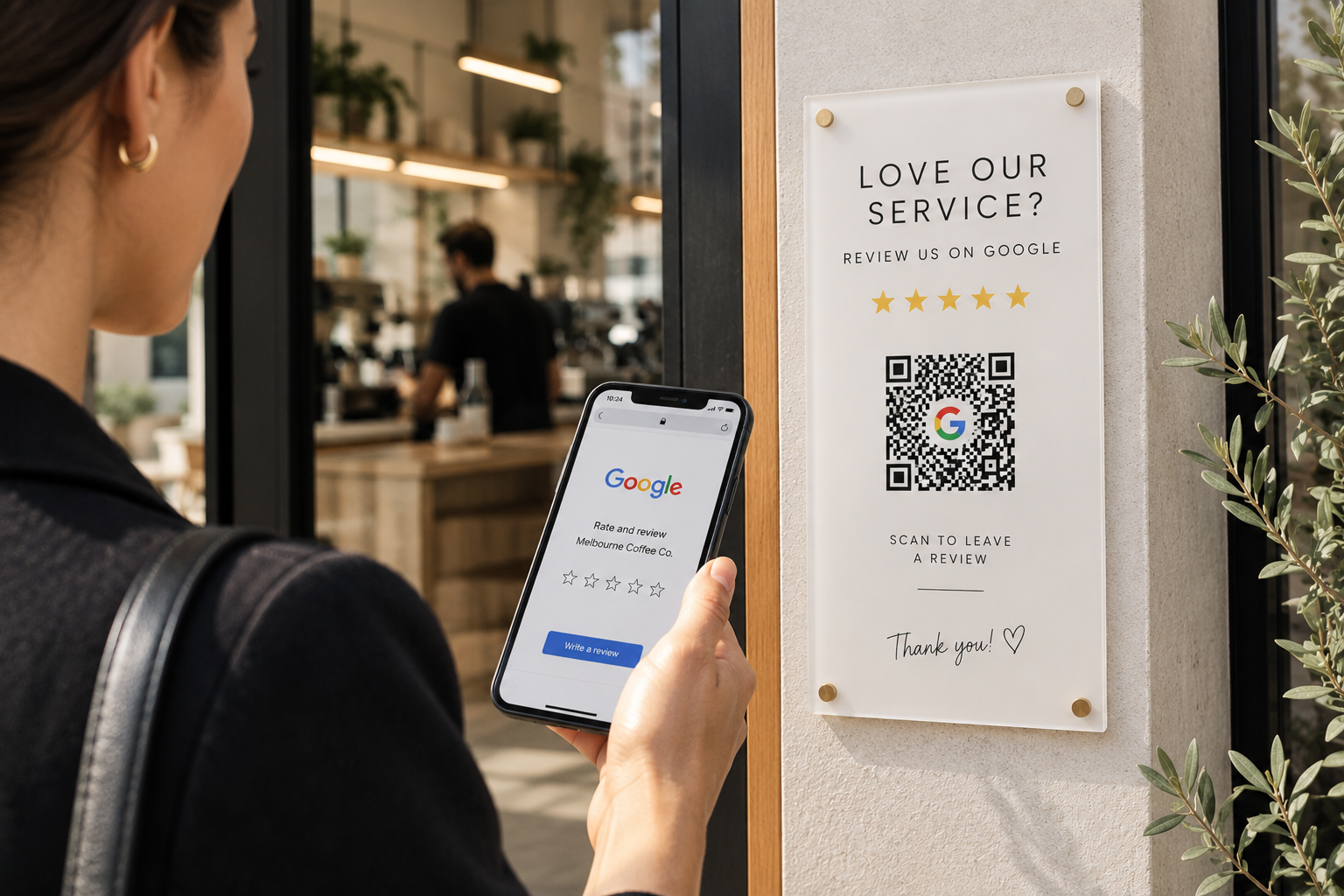
Most business owners know reviews matter. The problem is asking for them. It can feel awkward, like you are begging, so a lot of great businesses end up with far fewer reviews than they deserve. Here is how to fix that without ever feeling pushy.
TL;DR: Most happy customers are glad to leave a review, they just forget or do not know how. Ask at the right moment, make it a one tap job, and follow up automatically. Reply to every review, and handle the odd negative one calmly. Do this consistently and your review count climbs on its own.
Why reviews matter so much
Reviews do two big jobs at once:
- They build trust. The vast majority of people read reviews before choosing a local business. A strong set of recent, positive reviews makes you the obvious choice.
- They help you rank. Reviews are a real local SEO signal. Businesses with more high-quality reviews tend to show up higher in Google Maps and local search.
More reviews means more trust and more visibility, which means more customers. It is one of the highest-return things you can do.
When to ask
Timing is everything. The best moment to ask is right after a customer has had a great experience, while they are still happy and thinking about you. For example:
- Just after you finish a job or deliver a product
- When a customer says thank you or gives you a compliment
- After a repeat customer comes back again
If you wait a week, the moment has passed and they have moved on. Ask while the good feeling is fresh.
How to ask (without the awkwardness)
You do not need a big speech. Keep it simple and genuine. A few approaches that work:
- In person: “If you have a spare minute, a quick Google review would really help a small business like ours. I can text you the link right now.” Most people say yes.
- By email or SMS: a short, friendly message with a direct link. Thank them, explain it helps, and make the link impossible to miss.
- On receipts and signage: a simple prompt with a QR code so customers can leave a review on the spot.
The key is to frame it as helping a local business, not as a favour to you personally. People are happy to support small businesses they like.
Make it a one tap job
Every extra step loses people. Do not send customers to your homepage and expect them to hunt for the review button. Instead:
- Use a direct Google review link that opens straight to the review box.
- Put that link behind a QR code on receipts, cards, or a stand at your counter.
- For in-person businesses, an NFC tap card lets a customer tap their phone and go straight to the review.
The easier you make it, the more reviews you get. It really is that simple.
What to do about negative reviews
You cannot please everyone, and the odd negative review is normal. It can even make your overall rating look more genuine. Here is how to handle it:
- Stay calm and reply professionally. A polite, helpful response shows other customers how you handle problems.
- Take it offline. Offer to sort it out directly rather than arguing in public.
- Outweigh it with fresh reviews. The best defence against one bad review is a steady stream of good ones.
- Flag reviews that break the rules. If a review is fake or abusive, you can report it to Google.
You cannot delete honest negative reviews, but you can manage them well, and you can make sure they are the exception.
Put it on autopilot
Doing all this by hand works, but it is easy to forget when you are busy. The businesses that win at reviews make it automatic:
- Automated email or SMS follow-ups after every job
- One tap review links, QR codes, and tap cards ready to go
- A simple system to keep an eye on new reviews and reply quickly
That is exactly what we set up for our clients. Automated, friendly follow-ups that bring in more, better reviews without any extra work for you. If manually chasing reviews is not happening, letting it run in the background is the fix.